Easy Word Search Puzzles Printable: Free Beginner Grids
Easy word search puzzles printable at home are the gentlest entry point into puzzling: a small grid, a short list of familiar words, and every word running plainly left-to-right or top-to-bottom — no diagonal tricks, no backwards traps. They're the right puzzle for a five-year-old sounding out CAT, a grandparent who wants a relaxing solve rather than a fight, or an English learner meeting new vocabulary. The free puzzle maker builds one in under a minute: type your words (or load a ready-made theme), click the Easy preset, and print with a matching answer key.
This guide gives you the exact easy-mode settings, ready-to-copy beginner word lists, age guidance for parents and teachers, and a step-up plan for when "easy" starts feeling too easy.
What Makes a Word Search "Easy"?
Difficulty in a word search comes from a handful of dials, and an easy puzzle turns every one of them down:
- Small grid. 10×10 or 12×12, so there's less random letter noise to scan through.
- Few words. Six to ten, so the finish line is always in sight.
- Short, familiar words. Three to six letters, things a solver can picture: DOG, RAIN, APPLE.
- Forward directions only. Words run horizontally (left to right) and vertically (top to bottom). No diagonals, nothing backwards.
- UPPERCASE letters. Capital letters have distinctive shapes that make words easier to spot.
The Easy difficulty preset in the word search maker sets the gentle defaults with one click, and you can fine-tune from there — the Directions checkboxes let you make sure diagonal and backwards stay off, and the grid-size menu keeps things compact. Turn on the matching-pictures option and each word gets a small illustration next to the list, which younger kids adore and pre-readers genuinely need.
Who Easy Word Searches Are Really For
"Easy" isn't a skill judgment — it's a fit. These groups get the most out of gentle grids:
Young kids (ages 4–7)
For new readers, a word search is secretly a literacy exercise: they hold a word's spelling in mind while scanning, which reinforces letter recognition and left-to-right tracking. Keep it to 5–8 words on a 10×10 grid, uppercase, pictures on. If you're building for the youngest end, our kindergarten word search guide has full age-tuned setups.
Seniors who solve to relax
Not everyone wants a battle. For many older solvers the point is a pleasant, winnable quarter-hour — easy settings plus the Large print option (bigger cells and letters, on screen and on paper) is the comfort combination. More on that pairing in our large print word search guide.
English learners
An easy word search built from this week's vocabulary is one of the lowest-stress ways to drill new words — no grammar, no speaking pressure, just repeated exposure to correct spellings. Forward-only directions matter extra here, since ESL learners are also training left-to-right English reading flow.
Anyone recovering or low-energy
After surgery, during treatment, or on a foggy day, an easy puzzle offers accomplishment without demand. Ten familiar words and a highlighter is a genuinely kind gift to leave on someone's tray table.
Easy Word Lists to Copy
Every list below sticks to short, concrete, picturable words. Copy a column straight into the maker.
| Animals | Around Home | Food | Nature |
|---|---|---|---|
| CAT | BED | CAKE | SUN |
| DOG | DOOR | MILK | MOON |
| FISH | LAMP | EGG | STAR |
| BIRD | SOFA | RICE | TREE |
| FROG | SINK | SOUP | RAIN |
| DUCK | RUG | PEAR | LEAF |
| PIG | CUP | CORN | ROCK |
| BEAR | FORK | JAM | POND |
Two list-building rules keep puzzles beginner-friendly. First, avoid words that share long chunks (CAT and CATCH) — a beginner who finds C-A-T inside CATCH will circle the wrong thing and feel cheated. Second, keep every word a noun a solver can picture; abstract words are harder to hold in mind while scanning.
How to Make an Easy Word Search in 4 Steps
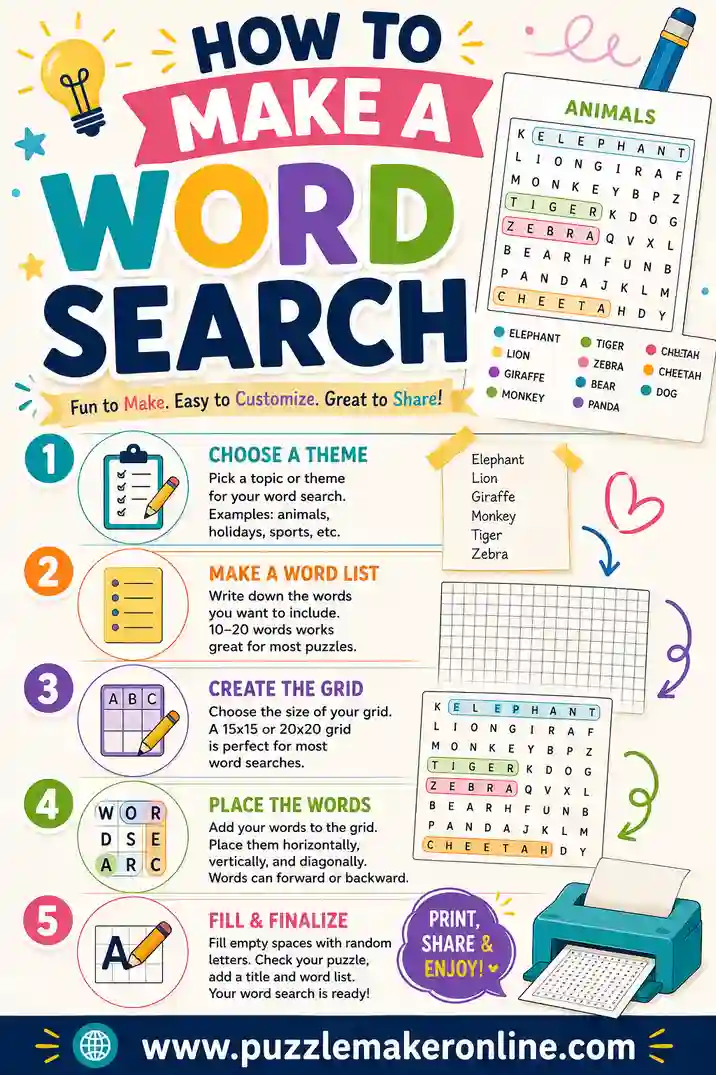
- Open the word search maker and type 6–10 words, one per line — or click a theme chip (Animals, Colors, Sight Words and more) to load a ready-made list you can trim.
- Click the Easy preset, then check the Directions boxes: horizontal and vertical on, diagonal and backwards off.
- Pick a small grid — 10×10 for young kids, 12×12 for a touch more hunt — and leave UPPERCASE on. Toggle Large print and pictures to suit your solver.
- Generate and print. The puzzle prints on one page, the answer key on the next.
That's genuinely the whole job. Sixty seconds, and you can regenerate for a fresh layout of the same words anytime — handy when two kids want "the same but different" puzzles.
Age & Stage Guide for Parents and Teachers
| Solver | Grid | Words | Word length | Extras |
|---|---|---|---|---|
| Pre-reader (4–5) | 8×8–10×10 | 5–6 | 3–4 letters | Pictures on, large print |
| New reader (5–7) | 10×10 | 6–8 | 3–5 letters | Pictures on |
| Growing reader (7–9) | 12×12 | 8–10 | 4–6 letters | Pictures optional |
| Relaxed adult / senior | 12×12 | 8–12 | 4–6 letters | Large print |
| ESL beginner | 10×10–12×12 | 6–10 | This week's vocab | Match to lesson |
The best difficulty check is the first puzzle: if it's finished in under three minutes with no stalls, step up one row in the table; if you hear frustration by the third word, step down. You're aiming for the happy middle — engaged for ten-ish minutes, finished with a flourish.
Sneaky Learning Benefits (For the Grown-Ups Asking)
Easy word searches look like pure play, which is exactly why they work in classrooms:
- Spelling reinforcement. Finding a word letter-by-letter is rehearsal; kids re-read the target word a dozen times while hunting.
- Visual scanning practice. Systematic left-to-right, row-by-row search is the same tracking skill reading depends on.
- Vocabulary in context. Themed lists (weather words during the weather unit) tie the fun to the lesson.
- Independence. A puzzle with a visible finish line is something a six-year-old can start and complete alone — a small but real confidence builder.
Teachers: an easy word search built from the week's spelling list takes two minutes to make on Sunday and slots perfectly into morning work or centers.
When Easy Gets Too Easy: The Step-Up Ladder
The whole point of making your own puzzles is that difficulty can grow with the solver. Raise one dial at a time, in this order:
- Add words — from 8 up to 12, same gentle settings.
- Grow the grid — 12×12 to 14×14. More noise, same rules.
- Turn on backwards — words can now run right-to-left and bottom-to-top. This is the first real "aha" upgrade.
- Turn on diagonal — the classic full challenge.
- Switch to lowercase — letter shapes blur; scanning gets harder.
- Longer, trickier words — and eventually the Medium and Hard presets.
One dial per puzzle keeps the difficulty curve smooth — a solver who conquered the backwards upgrade will ask for the diagonal one. For the full range beyond easy, our main word searches guide tours every difficulty.
Printing Tips for Beginner-Friendly Pages
- Black and white is fine; bold is better. Print at standard quality so letters are dark and clean for young or older eyes.
- Use the Large print toggle generously. Bigger cells help little fingers and aging eyes alike — it's the single most useful accessibility setting.
- One puzzle per sitting. For young kids, print one puzzle and stop. A stack can feel like homework; one page feels like a treat.
- Laminate favorites. A laminated easy puzzle plus a dry-erase marker becomes a reusable quiet-time activity for restaurants and car rides.
- Print the answer key anyway. Even for easy grids — it lets a kid self-check, which they love, and settles any "that's not a real word" debates.
Common Mistakes to Avoid
- Sneaking in diagonals to "make it interesting." For a beginner, one unfindable word poisons the whole puzzle. Interesting comes later; winnable comes first.
- Words that overlap confusingly. SUN and SUNFLOWER in the same list guarantees a mis-circle.
- Too many words on a tiny grid. Past about ten words on 10×10, the puzzle turns dense and easy stops being easy.
- Tiny print for the people who most need big print. If your solver is 5 or 75, flip the Large print switch. It costs nothing.
- Skipping the theme. "Random easy words" works; "OCEAN ANIMALS week!" delights. Theme is free motivation.
Frequently Asked Questions
Are these easy word search puzzles really printable for free?
Yes. Make and print unlimited puzzles with the free puzzle maker — no account, no watermark, no limit. A month of quiet-time puzzles costs a few sheets of paper.
What age can kids start easy word searches?
Around 4–5 with support: uppercase letters, 5–6 short words, pictures on, and a grown-up nearby for the first one. By 6–7 most kids solve simple grids happily on their own.
What settings make a word search easiest?
Small grid (10×10), 6–8 short familiar words, horizontal and vertical directions only, UPPERCASE letters, and the Easy preset. Add Large print and matching pictures for the friendliest possible page.
Are easy word searches good for seniors?
Very — especially for solvers who want relaxation rather than challenge. Pair easy settings with the Large print option for comfortable letters, and keep sessions short and pleasant.
Can I make an easy word search from my child's spelling list?
Yes, and it's one of the best uses: type the week's spelling words in, click Easy, and print. Your child rehearses each spelling a dozen times while hunting, and it feels like a game.
How do I make the next puzzle slightly harder?
Change one thing at a time: a couple more words, then a bigger grid, then turn on backwards, then diagonal. One-dial upgrades keep the challenge growing without ever hitting a wall.
Ready to Print a Gentle One?
Copy a word list from above, open the free word search maker, click Easy, and print — puzzle on one page, answer key on the next, solver smiling in about ten minutes. When they're ready for more, walk up the step-up ladder or explore the full word searches collection, and grab the large print setup for the readers who need it. Easy is where every great puzzler starts.