Remote Team Holiday Party: A Shareable Scramble or Crossword for Video Calls
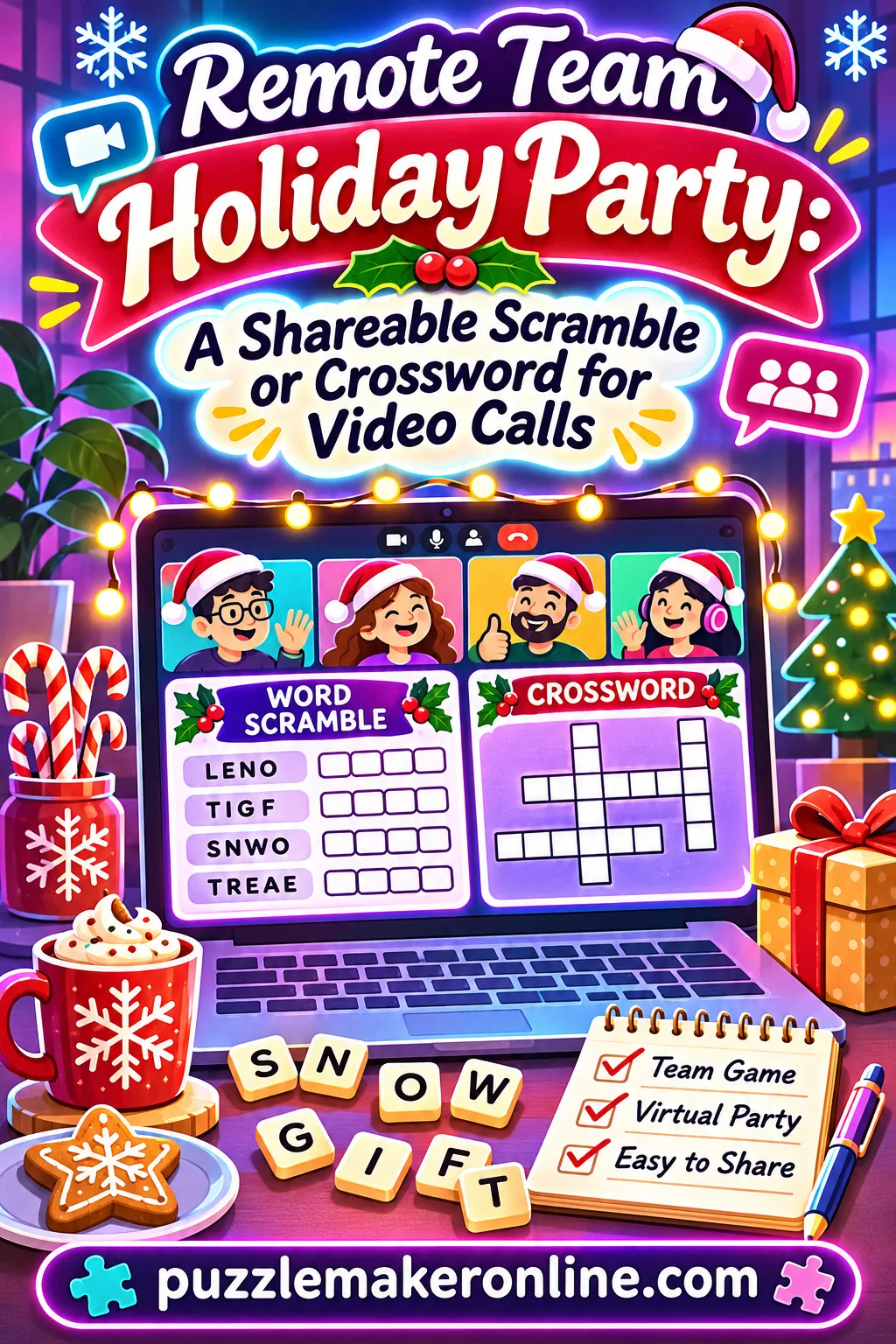
One of the easiest virtual Christmas party games for work is a team word scramble or crossword built from your own inside jokes, project names and office words, shared on screen or sent as a PDF, then solved as a timed race in small teams. It needs no supplies, no downloads for your coworkers and no extra accounts. You can make the whole thing in about 15 minutes with the free puzzle maker, answer key included.
Remote holiday parties have a familiar problem. Everyone logs on, a few people talk, most cameras stay off, and after 20 minutes of polite chat people start drifting back to their inboxes. A puzzle fixes that because it gives the group one shared job. Nobody has to perform, sing or share anything personal. They just have to figure out that "PNSDATU" is STANDUP before the other team does.
This guide walks you through building the puzzle, writing team words that actually get a laugh, running it on a video call three different ways, and handling the hiccups that always come up when 30 people try to do something at once over the internet.
Why a Puzzle Beats Most Virtual Party Games
Plenty of online party games ask people to be "on." Charades needs someone willing to act. Talent shows need talent, or at least courage. Trivia about pop culture leaves out anyone who doesn't follow it. A word puzzle sidesteps all of that.
- Everyone can play from the first minute. You don't need to know the rules. Unscramble the letters, fill the boxes, done.
- It works with cameras off. People can play by typing in chat, which helps folks on a slow connection or anyone who'd rather not be on video.
- It's about your team, not the internet. When the answers are your project code names, your manager's favorite phrase and the coworker who always has a cat on screen, the puzzle becomes the joke.
- It's quiet but social. Small teams chat while they solve, so introverts get a reason to talk without being put on the spot.
- It has a clear end. A scramble with 12 words takes 8 to 12 minutes. That's a contained activity you can drop into any agenda.
- It costs nothing but prep time. No kits to ship, no subscriptions and no time-zone shipping math.
It also scales. The same puzzle works for a team of 5 or a department of 60. You just change how you split people up.
What you can and can't do with the tool
It helps to know exactly what the puzzle maker does before you plan around it.
| What it does | What it doesn't do |
|---|---|
| Makes word search, crossword, word scramble, sudoku, maze, cryptogram and fill-in puzzles from your own words | Store your puzzle online (keep your word list in a document) |
| Prints or saves a PDF with the answer key on its own page | Send the puzzle to your coworkers for you |
| Saves a PNG image of the puzzle sheet for screen sharing or posting in chat | Score answers or run a leaderboard |
| Lets you solve a word search on screen by dragging across letters, with a timer and a Found counter | Require anyone to sign up or install anything |
| Adds clues automatically when you use a theme word list in the crossword | Read your team's minds (you write the inside jokes) |
Everything runs in your browser. Your coworkers only ever see the PDF or image you share, so there's nothing for them to set up.
How to Do It With the Free Tool: Exact Settings
Open the free puzzle maker on a laptop or desktop. You'll see tabs across the top: Word Search, Crossword, Word Scramble, Sudoku, Maze, Cryptogram and Fill-In. For a remote party, the scramble and the crossword are the stars. The word search and cryptogram make good bonus rounds.
Option 1: The team word scramble (fastest, about 5 minutes to build)
The scramble is the easiest puzzle to play over a video call because every word stands alone. Teams can split the list, shout out answers or type them in chat.
- Click the Word Scramble tab.
- In Puzzle title (optional), type something like "Team Holiday Scramble" or "Ops Team Winter Party Scramble."
- In Word list, type one word per line. Aim for 10 to 15 words. Mix easy, everyday ones (COFFEE, INBOX) with team-specific ones (your project name, your product name, your team mascot).
- Leave Print answer blanks turned on. The blanks give solvers a clear place to write each answer if they print it, and they show the letter count on screen, which is a helpful hint.
- Click Generate scramble.
- Look over the result. If one word happens to scramble into something too easy (or something awkward), click 🔀 New layout to reshuffle.
- Click 📄 Save PDF to keep a copy with the answer key on page two, and 🖼️ Save image to get a PNG of just the puzzle sheet for screen sharing.
Here's a starter list you can paste and then customize:
STANDUP, DEADLINE, WEBINAR, MUTED, SPRINT, COFFEE, INBOX, AGENDA, LAPTOP, CALENDAR, TEAMWORK, HOLIDAY, SNOWFLAKE, MITTENS, COCOA
Swap at least five of those for words only your team would know. That's where the laughs come from.
Option 2: The team crossword (best for clue jokes, about 10 to 15 minutes to build)
A crossword lets you write the inside jokes into the clues, which is often funnier than the answers themselves.
- Click the Crossword tab.
- Add a title like "Who Said It? The Team Crossword."
- In Words & clues, type one entry per line as WORD : clue. For example: MUTED : What Dana was during her best joke of the year.
- Use 8 to 14 entries. Crosswords need words that share letters to connect, so include a few words with common letters like E, A, R, S and T.
- Leave 🎨 Add matching pictures on for a festive border, or turn it off for a cleaner look.
- Click Generate crossword. The grid arranges itself on shared letters and numbers the across and down clues for you.
- If one or two words don't fit, swap them for words with more common letters and generate again.
- Save the PDF and the PNG image, the same as the scramble.
If you're short on time, click a theme word list such as Christmas or Winter. The clues are added automatically. Then add four or five team entries of your own so it still feels personal.
The how to make a crossword guide covers grid tips if your first try leaves words unconnected.
Option 3: A word search with a secret message (good bonus round)
Word searches are slower to play together over video, because pointing at letters on a shared screen gets messy. They shine as a solo bonus that people do while the host tallies scores.
- Click the Word Search tab and add your title and word list.
- In Secret message (optional), type a short phrase like "HAPPY HOLIDAYS TEAM" or "SEE YOU IN JANUARY." It can be up to 80 characters. The leftover letters spell it out once every word is found.
- Set Grid size to 14 × 14 or Auto-fit, Letter case to UPPERCASE, and difficulty to Medium with horizontal, vertical and diagonal turned on.
- Generate, then save the PDF.
Option 4: A holiday cryptogram (good closer)
- Click the Cryptogram tab.
- Type a short message of your own, up to 200 characters. Something like "Thanks for a great year, team. Rest well and enjoy the break."
- Leave 💡 Give 2 free letters on so people have a starting point.
- Generate and save.
A cryptogram makes a nice final round because the decoded message can be your thank-you note to the team.
Settings at a glance
| Puzzle | Tab | Words or length | Key settings | Build time | Play time on a call |
|---|---|---|---|---|---|
| Team scramble | Word Scramble | 10 to 15 words | Print answer blanks on | 5 minutes | 8 to 12 minutes |
| Team crossword | Crossword | 8 to 14 WORD : clue lines | Pictures on or off | 10 to 15 minutes | 12 to 18 minutes |
| Secret message search | Word Search | 12 to 18 words, message up to 80 characters | 14 × 14, Medium, diagonal on | 5 minutes | 10 to 15 minutes solo |
| Thank-you cryptogram | Cryptogram | Up to 200 characters | Give 2 free letters on | 2 minutes | 5 to 10 minutes |
Building Your Word List: Team Words That Land
The puzzle is only as fun as the words in it. Generic holiday words are fine as filler, but the moments people remember are when they decode a word and the whole call groans or laughs.
Where to find good team words
Spend ten minutes skimming a few places. You'll have more words than you need.
- Project and product names. Code names, launch names, the internal nickname for that one system everybody complains about.
- Meeting habits. STANDUP, RETRO, SYNC, ONEONONE, ALLHANDS, AGENDA, RECAP.
- Video call life. MUTED, UNMUTE, FROZEN, ECHO, BACKGROUND, HEADSET, WEBCAM, LAG.
- The year's events. A big launch, an office move, a new hire wave, a record month, a tricky migration.
- Team quirks. The pet that crashes every call, the plant in someone's background, the snack someone keeps mentioning.
- Work tools, described generically. SPREADSHEET, TICKET, DASHBOARD, CALENDAR, WIKI, CHECKLIST.
- Holiday and winter words for balance. COCOA, SNOWFLAKE, MITTENS, WREATH, GARLAND, SWEATER, CANDLE, PINECONE.
Ground rules for inside jokes
Inside jokes are the heart of the puzzle, and they're also where it can go wrong. A quick filter keeps it fun for everyone.
- Joke about situations, not people's looks, health, family or personal life.
- Make sure a joke about one person is one they've laughed about publicly. If in doubt, leave it out.
- Spread the mentions around. If one person shows up in five clues, it starts to feel like a roast.
- Include new hires. A clue about "the newest member of the team who already fixed the printer" welcomes them in.
- Keep it work-friendly. Picture your most senior leader reading every clue out loud.
Sample word lists by team type
These lists mix general remote-work words with role-specific ones. Use them as a base and drop in your own names and projects.
| Team type | Sample scramble words |
|---|---|
| Software or product | STANDUP, SPRINT, BACKLOG, DEPLOY, BUGFIX, RELEASE, ROADMAP, TICKET, RETRO, DEMO, MUTED, COFFEE |
| Sales or account teams | PIPELINE, QUOTA, PROSPECT, FOLLOWUP, DEMO, RENEWAL, FORECAST, HANDSHAKE, CLOSE, TARGET, INBOX, AGENDA |
| Customer support | TICKET, QUEUE, ESCALATE, REFUND, HEADSET, PATIENCE, RESOLVED, SURVEY, CHATBOX, SHIFT, COFFEE, KUDOS |
| Marketing or creative | CAMPAIGN, BRIEF, DEADLINE, DRAFT, NEWSLETTER, WEBINAR, LAUNCH, HEADLINE, DESIGN, FEEDBACK, BRAINSTORM, COPY |
| People and operations | ONBOARDING, BENEFITS, PAYROLL, POLICY, CALENDAR, WELCOME, TRAINING, HANDBOOK, SURVEY, CHECKLIST, ALLHANDS, AGENDA |
| Mixed department party | HOLIDAY, SNOWFLAKE, COCOA, LAPTOP, WEBCAM, MUTED, DEADLINE, TEAMWORK, CALENDAR, MITTENS, SWEATER, GARLAND |
Writing crossword clues that get a reaction
Good team clues follow a simple pattern: a real, specific detail plus a light twist. Here's a set that shows the range from plain to playful.
| Answer | Plain clue | Team-flavored clue |
|---|---|---|
| MUTED | Not heard on a call | What we all were during the big announcement in March |
| STANDUP | Daily quick meeting | The 15-minute meeting that once lasted 40 |
| COFFEE | Morning drink | Fuel for every Monday sync |
| DEADLINE | Due date | It moved three times and we still made it |
| FROZEN | Stuck on screen | How Sam's face looked for most of the quarterly review |
| LAUNCH | Big release | What we celebrated in October with a very long chat thread |
| WEBCAM | Camera on your laptop | The thing that's always "about to be fixed" |
| SNOWFLAKE | Winter crystal | No two of these are alike, like our project estimates |
Keep each clue under about 12 words so it fits neatly in the printed clue list and reads quickly on a shared screen.
Holiday carol scramble round
A carol title scramble is a classic chat game. Stick with traditional public-domain carols, scramble one key word from each title, and let teams name the full carol for a bonus point. Good single words to scramble: WENCESLAS, HERALD, MANGER, BETHLEHEM, FAITHFUL, NOEL, HOLLY, MERRY, JINGLE, SILENT. For example, SILENT points to "Silent Night," and MANGER points to "Away in a Manger."
Put those ten words into a second scramble with the title "Name That Carol" and you have an extra round ready to go.
Three Ways to Run the Puzzle on a Video Call
How you share the puzzle depends on your group size and how much setup you want people to do. All three formats below use the same PDF and PNG you saved.
Format A: Screen-share race (simplest, any size)
You share the PNG image on screen. Everyone sees the same puzzle at the same time. Teams solve together and type answers into the chat or a team thread.
Best for: groups under 15, or any group where you want everyone looking at the same thing.
How it works:
- Before the call, open the saved PNG in your computer's image viewer and zoom so the words are large.
- When it's time, share that window, not your whole screen. That keeps your answer key and email private.
- Set a timer for 10 minutes and say "go."
- Players type answers in chat as they solve them. The first correct answer for each word earns the point.
- When time's up, open page two of the PDF (the answer key) and reveal anything left unsolved.
A simple scoring rule: one point per word for the first correct answer in chat. If two people post within the same second, both get it. Don't argue with chat timestamps at a party.
Format B: Send the PDF ahead, solve in teams
You send the puzzle-only page to everyone a few minutes before the game starts, by email or in your team chat. People can print it or open it on a second screen. Teams solve in breakout rooms and report back.
Best for: groups of 15 to 60, or anyone who wants to solve with pen and paper.
How it works:
- Make a copy of the PDF that contains only page one, so the answer key stays with you. Most PDF viewers can print or save a single page as a new PDF. The how to print puzzles guide has more tips on page ranges and printer settings.
- Post it in the chat five minutes before the game, with "Don't peek yet!"
- Open breakout rooms with three to five people each.
- Give teams 12 minutes. One person per team is the scribe who keeps the answer list.
- Bring everyone back. Each scribe pastes their team's answers into the main chat.
- Reveal the answer key on screen and count points together.
Format C: Relay rounds (most energy)
You split one long list into short rounds of four words each. Each round is shown on screen for two minutes. Teams race to post all four answers.
Best for: groups that like competition and fast pacing.
How it works:
- Build three or four small scrambles, four to five words each, using the same title plus "Round 1," "Round 2" and so on. Save a PNG of each.
- Show Round 1 for two minutes. Teams post answers in chat with their team name, like "Elves: COFFEE, MUTED, INBOX."
- Reveal the answers, tally and move to Round 2.
- Make the final round slightly harder, with longer project names, and give it double points.
Comparing the three formats
| Format | Group size | Prep beyond the puzzle | Total time | Energy level | Works with cameras off? |
|---|---|---|---|---|---|
| A: Screen-share race | 4 to 15 | None | 15 minutes | Medium | Yes |
| B: PDF ahead, breakout teams | 15 to 60 | Split the PDF, set up rooms | 25 to 30 minutes | Calm and chatty | Yes |
| C: Relay rounds | 6 to 40 | Build 3 or 4 mini scrambles | 20 minutes | High | Yes |
If you're unsure, start with Format A for the scramble, then switch to Format B for the crossword. That gives you one fast round and one slower, more social one.
A 45-Minute Holiday Party Run of Show
Here's a full plan you can drop into a calendar invite. It assumes a team of 12 to 30 people and uses the scramble, the crossword and the cryptogram.
| Time | Segment | What the host does | Tip |
|---|---|---|---|
| 0:00 to 0:05 | Warm welcome | Greet people by name as they join, play quiet background music if your platform allows | Start on time, even if a few people are late |
| 0:05 to 0:08 | Explain the game | Share a slide or the chat message with rules and team names | Keep it to three sentences |
| 0:08 to 0:10 | Form teams | Open breakout rooms or assign teams in chat | Mix departments and time zones |
| 0:10 to 0:22 | Round 1: team scramble | Share the PNG, start a 10-minute timer | Post a one-minute warning in chat |
| 0:22 to 0:25 | Reveal and tally | Show the answer key, read the funniest words aloud | Let people tell the story behind an inside joke |
| 0:25 to 0:38 | Round 2: team crossword | Send the PDF, teams solve in breakout rooms | Visit each room briefly to check in |
| 0:38 to 0:41 | Reveal and tally | Read each clue and its answer | The clue reveals usually get the biggest laughs |
| 0:41 to 0:44 | Closer: thank-you cryptogram | Share the cryptogram, everyone solves solo | First to post the decoded message gets the last point |
| 0:44 to 0:45 | Wrap up | Announce winners, thank everyone | End on time, people appreciate it |
A host script you can read
You don't need to be a natural emcee. Reading from a short script makes it easy and keeps things moving.
Opening: "Hi everyone, and welcome to our holiday party! We've got a quick team puzzle game today. It's all about us, our projects, our meetings and maybe one or two of our famous moments from this year. No singing, no talent required. You'll be in teams of four or five, and the team with the most points at the end wins bragging rights."
Rules for Round 1: "I'm sharing a word scramble on screen. Every word is scrambled. When you figure one out, type it in the chat. First correct answer gets the point for your team, so put your team name in front of it. You have ten minutes. Go!"
One-minute warning: "One minute left! If you're stuck, the blanks under each word tell you how many letters it has."
Reveal: "Time! Let's see the answers. Number seven was DEADLINE, which feels right. Who wants to tell the story behind number nine?"
Rules for Round 2: "Next up is a crossword. I'm dropping the PDF in the chat now. Your team will head to a breakout room for twelve minutes. Pick one person to keep your answers. When we come back, your scribe will paste them in chat."
Closer: "Last one. This is a code puzzle. Each letter stands for a different letter. Two letters are already filled in to get you started. The first person to post the full message wins the final point."
Wrap-up: "That's a wrap! Congratulations to Team Snowflake, our champions. Thank you all for a great year. Enjoy your time off, and we'll see you in January."
Before the party: a host checklist
One week before:
- Collect 20 to 30 candidate words and inside jokes. Ask a teammate or two for ideas, quietly.
- Decide which format fits your group size.
- Send the calendar invite with "Bring a pen and paper if you like puzzles on paper."
Two to three days before:
- Build the scramble, crossword and cryptogram in the puzzle maker.
- Save a PDF and a PNG of each one.
- Make a puzzle-only copy of each PDF without the answer key.
- Ask one coworker to look over the words and clues for anything that might sting.
The day of:
- Open all your files in separate windows so you can switch quickly.
- Test sharing a single window, not your full screen.
- Prepare team names and breakout room assignments.
- Set a phone or kitchen timer as a backup to the on-screen one.
Variations by Team Size, Time Zone and Setup
The same puzzle stretches to fit almost any remote or hybrid team. Here's how to adjust.
Tiny teams (4 to 8 people)
Skip breakout rooms. Play as one group against the clock instead of against each other. Set a goal like "solve all 12 words in under 8 minutes," and if the team beats it, everyone wins. Small teams also handle a harder crossword well, so push it to 14 entries.
Mid-size teams (9 to 25 people)
This is the sweet spot for the 45-minute run of show above. Three to five teams of four or five keeps chat lively but readable. Mix people who don't usually work together so the game doubles as a get-to-know-you.
Large groups (25 to 60 people)
Chat moves too fast for a first-to-answer race with this many people. Use Format B: send the PDF, run breakout rooms with five or six per team, and have one scribe per team submit answers at the end. Assign a co-host to manage rooms while you handle the puzzles.
Very large or company-wide parties (60 or more)
Turn the puzzle into a self-paced challenge. Post the PDF in a company-wide channel at the start of the party week with a deadline. People solve on their own or with their team and send their answers to a host. At the live party, reveal the answer key and announce everyone who got a perfect score.
Teams spread across time zones
A single live slot rarely works for everyone when your team spans many hours. Try an asynchronous version:
- Post the puzzle PDF on Monday morning in the earliest time zone.
- Give everyone until Thursday to submit answers.
- Reveal the answers and winners in a short live call on Friday, or in a recorded video for those who can't attend.
This also takes pressure off people who don't love live games but still want to be part of the fun.
Hybrid teams (some in the office, some remote)
Print the puzzle for people in the office and send the PDF to remote folks. Make sure every team has at least one remote person so the office group doesn't turn into its own party. Have the in-office team share one camera on a laptop facing the group so remote teammates can see faces, not just a conference room ceiling.
Variation table
| Team setup | Best puzzle | Format | Rounds | Total time |
|---|---|---|---|---|
| 4 to 8, same time zone | Crossword with 12 to 14 clues | Play together against the clock | 1 or 2 | 20 minutes |
| 9 to 25, same time zone | Scramble plus crossword | Run of show above | 3 | 45 minutes |
| 25 to 60 | Crossword plus secret message word search | PDF ahead, breakout teams | 2 | 35 to 40 minutes |
| 60 or more | Scramble or crossword | Self-paced challenge plus live reveal | 1 | 15-minute reveal |
| Many time zones | Any | Asynchronous, Monday to Thursday | 1 | Flexible |
| Hybrid | Scramble | Printed and PDF, mixed teams | 2 | 30 minutes |
Scoring, Prizes and Keeping It Inclusive
Simple scoring that won't start arguments
- Scramble: one point per word. Bonus point for the first team to finish the whole list.
- Crossword: one point per correct answer. Two points for a clue that references your team, if you want to highlight those.
- Secret message word search: five points for the first team to post the decoded message.
- Cryptogram: five points for the first fully correct message.
- Tiebreaker: the team that can explain the story behind a chosen inside joke wins.
Keep a running tally in a simple shared document or just in your notes, and post the standings between rounds.
Prizes that don't need shopping
The prize matters far less than the recognition. Here are a few that cost nothing:
- A custom title for the winning team in the next all-hands, like "Holiday Puzzle Champions."
- The winning team picks next year's puzzle theme.
- A shout-out in the team newsletter or company chat.
- The winners get to choose the background music at the next team social.
- Winners pick the theme of the first team call in January.
Keeping the party welcoming for everyone
Not everyone on a work team celebrates Christmas, and some people celebrate other holidays or none at all. A few small choices help everyone feel included:
- Call it a "holiday party" or "end-of-year party" in invites.
- Lean on winter words and team words. Use Christmas words as a smaller part of the list or in an optional bonus round.
- Make participation easy to opt into. Someone can join a team quietly in chat without talking.
- Avoid tight time pressure for anyone using assistive technology. The PDF-ahead format gives everyone time to get set up.
- For anyone who has trouble reading small text, the Large print option in the Word Search and Crossword tabs makes letters noticeably bigger, both on screen and in print.
Troubleshooting Common Problems
Remote parties come with remote problems. These are the ones that pop up most, with quick fixes.
| Problem | What it looks like | Quick fix |
|---|---|---|
| Puzzle too small on screen | People squinting, asking you to zoom | Share the PNG in an image viewer and zoom in, or send the PDF so they can zoom themselves |
| Someone sees the answer key | You shared your whole screen with page two visible | Share only one window, and keep a puzzle-only PDF separate from the key |
| Chat moving too fast | Answers scroll off before you can read them | Switch to team scribes who post one list at the end |
| One team way ahead | Other teams stop trying | Give a hint for a stuck word, or add a bonus round worth double points |
| Crossword words won't connect | The generator can't place some entries | Swap in words that share common letters, then generate again |
| A word barely looks scrambled | Only two letters swapped, so it's solved in a second | Click 🔀 New layout until every word looks properly mixed |
| Inside joke falls flat | Silence when it's revealed | Laugh it off, move on and keep the next reveal quick |
| Connection drops mid-game | A teammate disappears | Let teams keep their points; the PDF means nobody loses their work |
| People join late | Confused newcomers | Drop the PDF in chat again and add them to the smallest team |
Ready to Make Your Team Puzzle?
You have the word lists, the settings, the run of show and the script. All you need now is 15 minutes and your team's best inside jokes. Open the free puzzle maker, build a team scramble and a crossword, save the PDF and image, and your virtual holiday party has a game everyone can play. For a ready-made holiday backup round, the Christmas word scramble and Christmas crossword pages have printable sets you can grab in a minute.
Frequently Asked Questions
What are good virtual Christmas party games for work that need no supplies?
A team word scramble or crossword built from your own project names and inside jokes is one of the easiest. You make it once, share it on screen or as a PDF, and teams solve it in chat or breakout rooms. Nobody needs to buy, download or ship anything.
How long does a puzzle game take on a video call?
A 10 to 15 word scramble takes about 8 to 12 minutes to solve. A crossword with 10 to 14 clues takes about 12 to 18 minutes. Add a few minutes for explaining rules and revealing answers, and a two-round game fits easily into 30 to 45 minutes.
Do my coworkers need an account or app to play?
No. You build the puzzle in your browser and save it as a PDF or image. Your coworkers only see what you share on screen or send them, so there's nothing for them to install or sign up for.
How do I keep the answer key private while screen sharing?
Share a single window instead of your entire screen. Keep a puzzle-only copy of the PDF, and open the full version with the answer key only when it's time to reveal. The key always prints on its own page after the puzzle, which makes it easy to separate.
How many words should a team scramble have?
Ten to fifteen words works well for a 10-minute round. Fewer than eight goes by too quickly, and more than twenty can feel like homework. If you have lots of good words, split them into two shorter rounds.
Can I use this for a hybrid team with some people in the office?
Yes. Print the puzzle for the in-office group and send the PDF to remote players. Build mixed teams so each one has both in-office and remote people, and keep one camera pointed at the office group so everyone can see each other.
How do I make the game inclusive for people who don't celebrate Christmas?
Call it a holiday or end-of-year party and build the puzzle mostly from team words and winter words. Save Christmas-specific words for an optional bonus round. That way the fun comes from shared work memories rather than any one holiday.
What if my team is spread across many time zones?
Run it asynchronously. Post the PDF early in the week, give everyone a few days to send in answers, and reveal the results in a short live call or a recorded message at the end of the week. It keeps everyone included without asking anyone to join at midnight.